
Poker Table Layouts Explained: Hold’em, Omaha, Stud & Draw
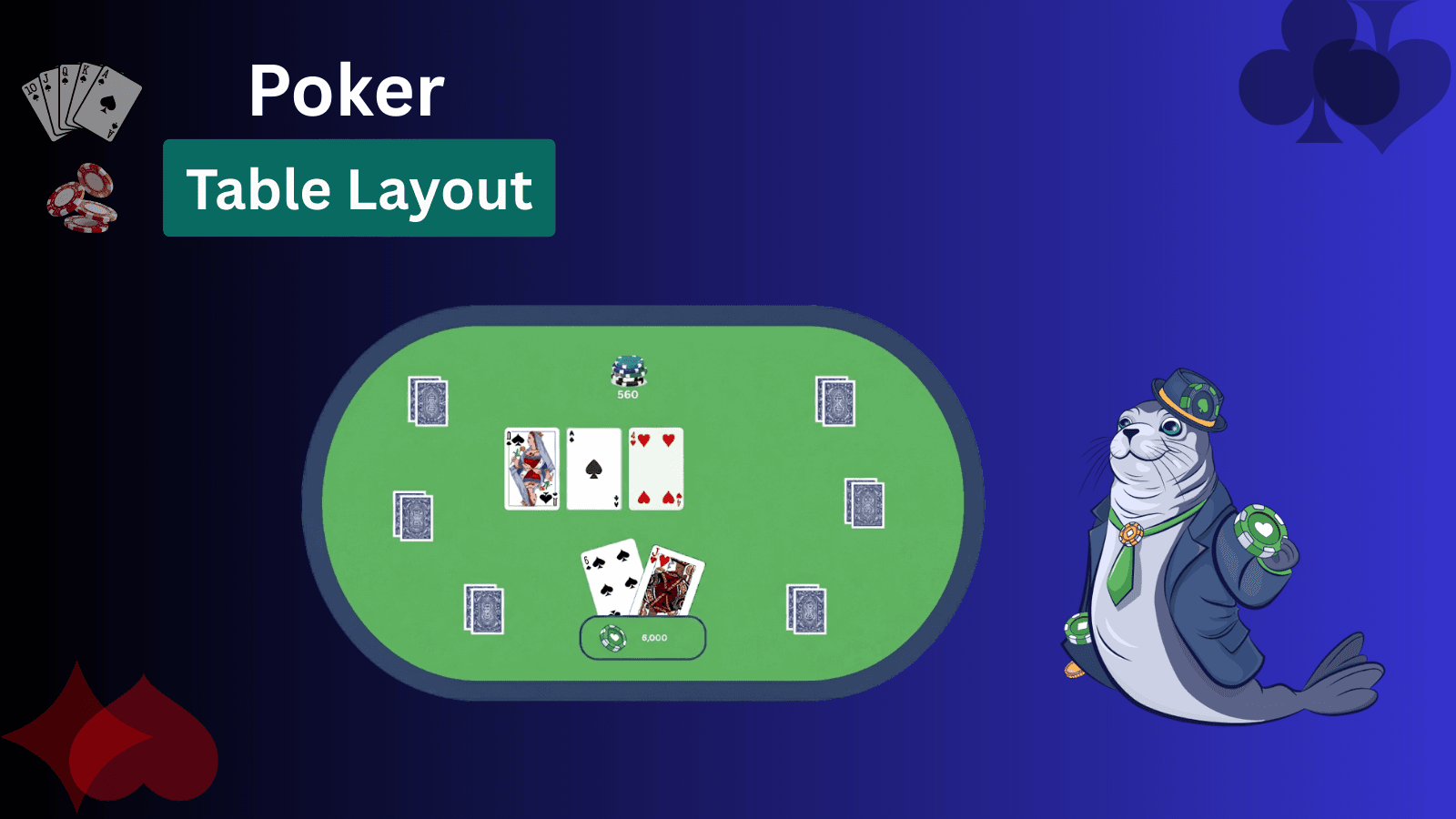
Poker tables can look different online depending on the variant. This guide helps you spot the basics fast: where your cards appear, where the pot and bets are shown, and what the main action buttons (Fold/Check/Call/Raise) mean. It focuses on player-vs-player poker-room layouts for the Big 4: Texas Hold’em, Omaha, Seven-Card Stud, and Draw. The key difference is the deal structure—community-card games use a shared board, while stud and draw don’t.
The Core Parts of a Poker Table
Every online poker layout uses the same “legend,” even when the game rules change. Around the edge, you’ll see seats/player boxes showing each player’s name and stack size (their chips in play). Bets you and others place get pulled into the pot area, where the total pot and current bet to call are displayed. Position is anchored by the dealer button (often marked D or BTN). It identifies the notional dealer/last position and rotates one seat per hand, determining who posts first and who acts last.
Most tables also show forced bets. In Hold’em/Omaha, these are usually small blind and big blind posted to the left of the button (with the standard heads-up exception), while other formats may use antes.
At the bottom, the action controls—Fold, Check, Call, Raise, All-in—light up when it’s your turn, with a bet-size slider/buttons for raise amounts. Finally, look for the card zones: your private cards area always stays with your seat; a shared board appears only in community-card games; and visible upcards are a Stud-only feature.
Community-Card Table Layouts
Hold’em and Omaha use the same online “geometry”: players sit around the oval, with five community cards dealt face-up in the center as the shared board. The pot display and current bet to call are typically shown near or above that board, because every decision is tied to what’s on the community cards. Position is determined by table markers—BTN, SB, and BB—which rotate with each hand and indicate who posts and who acts first. The main visual difference is in your private cards: Hold’em deals 2 hole cards, while Omaha deals 4 hole cards (with different hand-use rules, but the same board layout).
Texas Hold’em Table Layout
A Texas Hold’em table layout is built around two areas: your private hand and the board (community cards). The board sits in the center because all players use the same five shared cards to form a final hand. Hold’em reveals those community cards in three visual steps: the Flop (three cards appear together), then the Turn (a fourth card is added), then the River (the fifth and final card).
Your hand (hole cards) is always shown at your seat. In most online layouts, that means your two face-up cards are placed closest to the bottom/center of the screen (or wherever your seat is anchored), while opponents’ hole cards remain face-down until showdown. Hold’em specifically deals two hole cards per player, which is the quickest way to identify the variant from the table view.
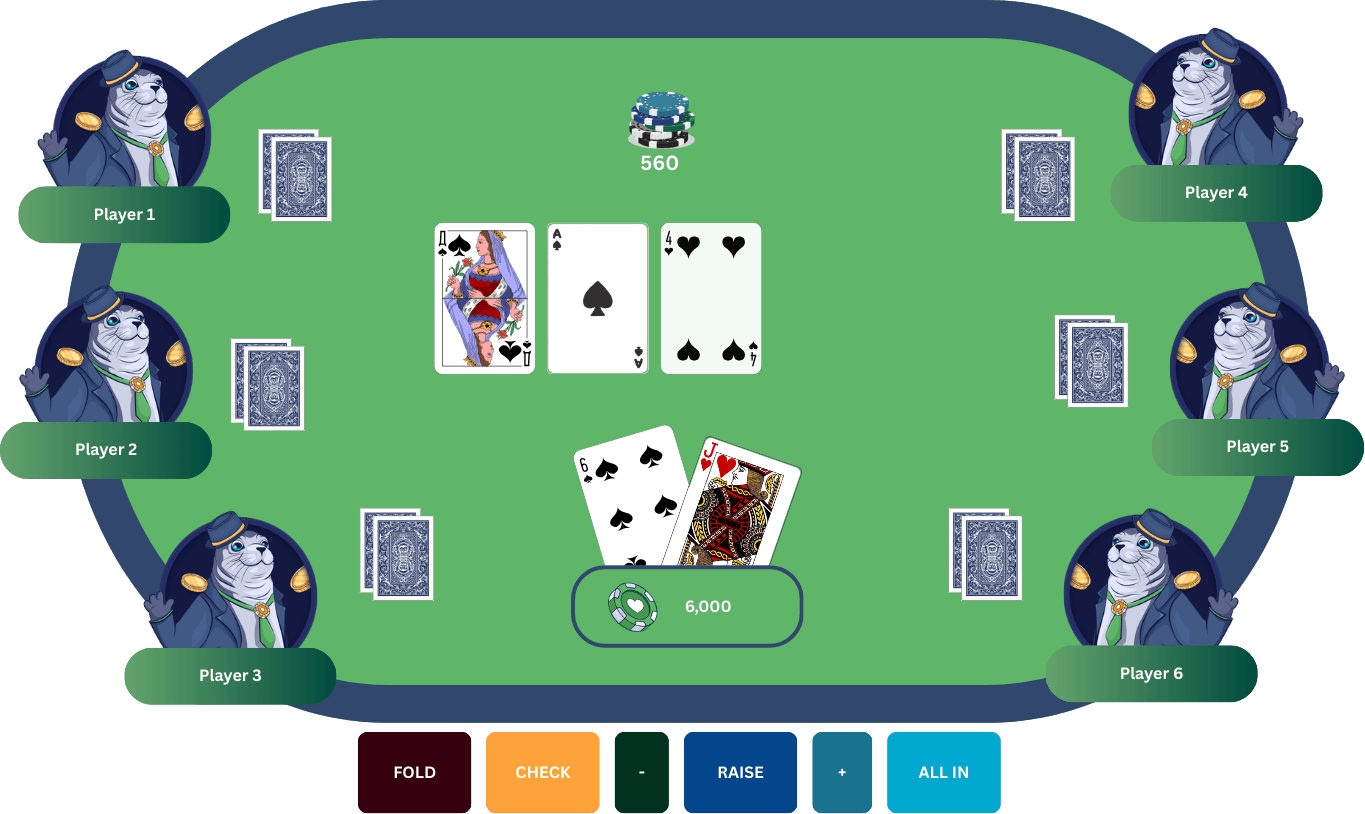
Position markers explain who must pay and who acts when. The dealer button (BTN) marks the dealer position for the hand and rotates one seat each deal. The small blind (SB) posts immediately left of the button, and the big blind (BB) posts to the left of the small blind. These markers also help you read action order: preflop, the first player to act is left of the big blind; after the flop, action begins with the first active player left of the dealer/button (often the small blind if still in the hand).
The pot total is usually displayed near or above the board, so it remains visible as bets are placed and the board develops.
Omaha Table Layout
Omaha uses the same community-card table layout as Hold’em: players sit around the table edge, five community cards are built out in the center (flop, turn, river), and the pot total is shown close to the board so it stays readable as bets go in. What changes immediately—before you even think about strategy—is your hand area: Omaha deals four hole cards to each player, so your seat shows four private cards instead of two.
The position markers work the same way. The dealer button (BTN) identifies the dealer position for that hand and rotates each deal, with the small blind (SB) and big blind (BB) posted to the left of the button in order. Those markers are the quickest way to read who is forced to pay and how the hand will move clockwise through the seats.
One rule explains why the four-card hand display matters: in Omaha, you must make your final hand using exactly 2 hole cards + exactly 3 community cards. You can’t “play the board,” and you can’t use three or four cards from your hand. Seeing four hole cards on-screen helps prevent the most common mistake players make when they’re new to the variant—counting a hand that isn’t legally possible in Omaha.
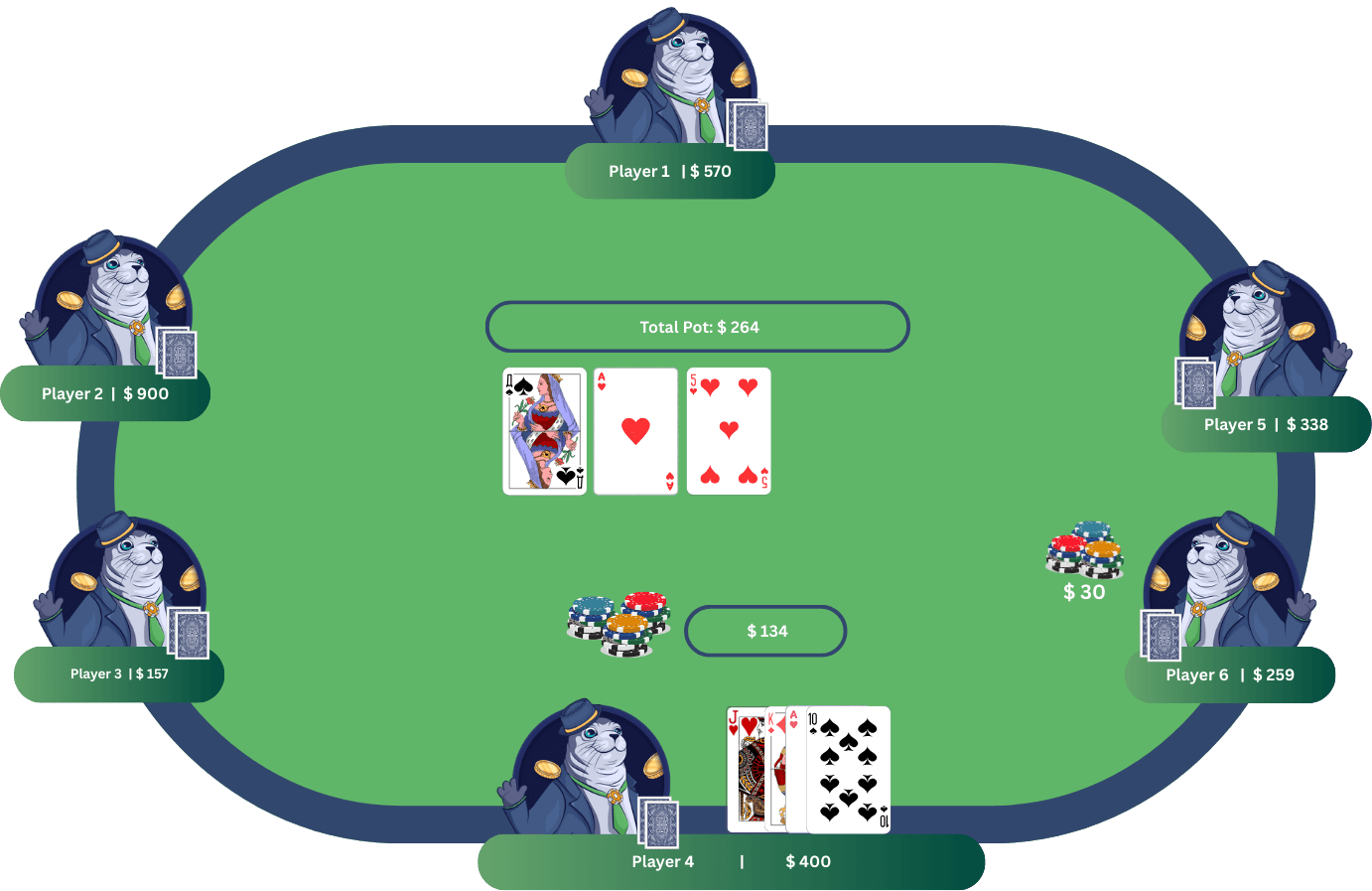
Omaha also feels “busier” visually because four hole cards create far more possible combinations and more frequent draws, so more players tend to stay interested across flop/turn/river compared with two-card games.
Seven-Card Stud Table Layout
Seven-Card Stud looks different because there are no community cards in the middle. Instead, each player builds a hand from a mix of face-down cards and face-up “upcards,” so the layout highlights what’s exposed in front of every seat. The betting structure often changes too: many Stud games use antes from all players, then a bring-in posted by the player showing the lowest upcard after the first deal.
A Seven-Card Stud table layout is organized around each player’s cards rather than a shared board. There are no community cards in the center; instead, every seat displays a growing “row” of cards because much of the hand is dealt face-up. Each player starts on 3rd street with a total of 3 cards: two face down and one face up (often called the door card). The face-up card is placed beside the player's box/avatar so everyone can read it immediately.
Your hidden cards remain anchored to your seat area. Most online tables keep your downcards closest to you (so you can always tell what’s private), while your upcards appear alongside them but remain visible to the whole table. As the hand progresses, the layout “builds” street by street: on 4th, 5th, and 6th streets, each active player receives one additional upcard, so the visible line next to each seat grows longer. On 7th street, players receive a final downcard—it won’t appear to opponents unless there’s a showdown.
Betting cues also look different from Hold’em/Omaha. Many Stud games use antes from everyone, then a bring-in instead of blinds. After the first deal, the bring-in is forced by the player showing the lowest-ranking upcard, and action continues from there. From 4th street onward, the first player to act is the one whose exposed (up) cards show the best poker hand at that moment—so “position” can change from street to street as boards develop.
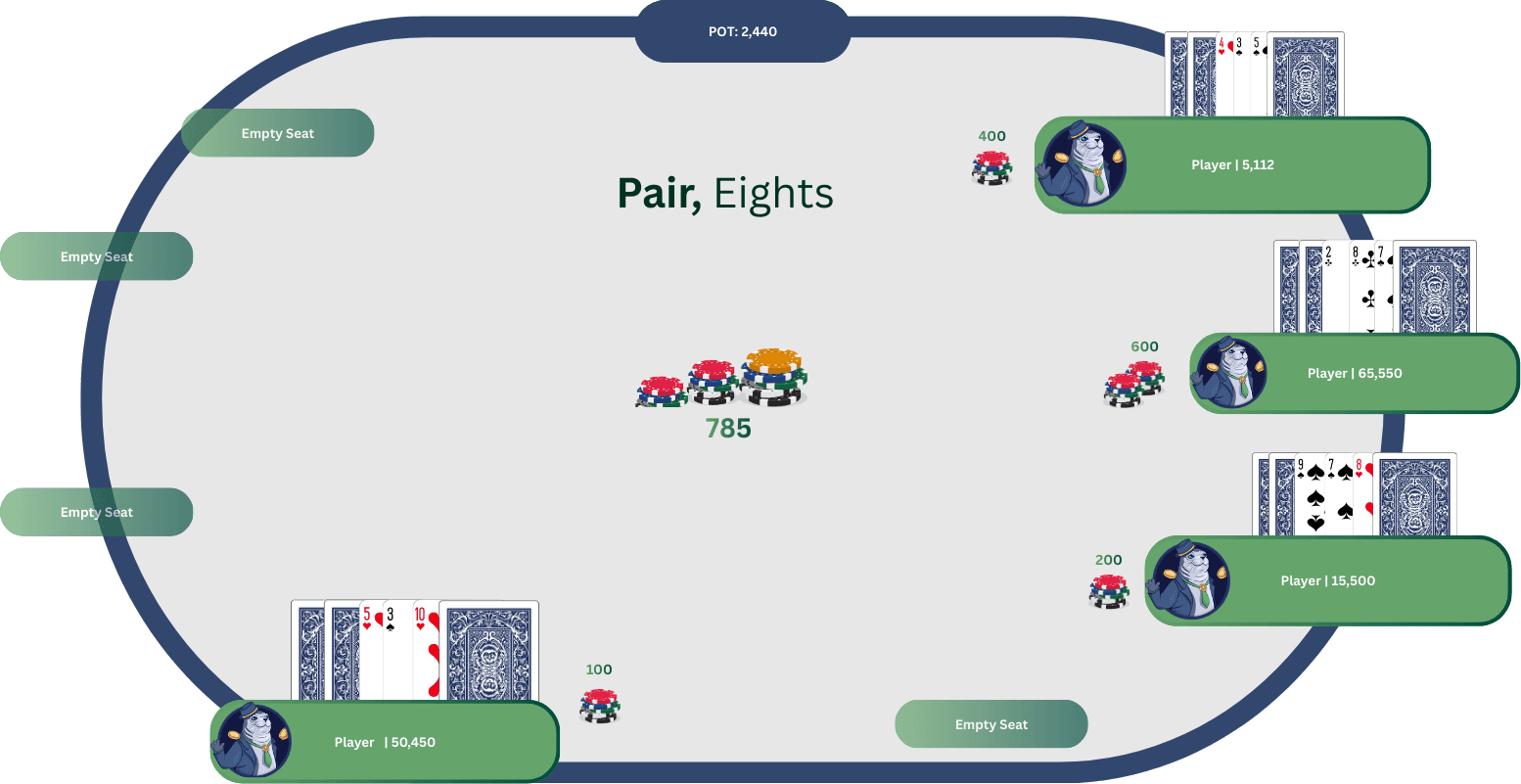
What to look for on-screen: upcards (visible information you can compare), your downcards (private), and dead cards—cards you can see folded or exposed that reduce what remains available in the deck.
Five-Card Draw Table Layout
Five-Card Draw tables are visually simpler because there’s no board in the middle and no face-up upcards to track—everyone starts with five private cards dealt face down. After the first betting round, the screen’s main “event” is the draw: the interface needs a clear way to select cards to discard, then confirm a draw/replace action so the dealer can deal the same number of new cards. That discard-and-replace phase is the defining feature of draw poker, and it’s why online layouts focus on your hand panel more than the center of the table.
The table layout centers on your hand panel because the game has no community board and no player upcards to read. Everyone begins with five private cards dealt face down, so the most important on-screen zone is where those five cards are displayed at your seat (usually the bottom seat in online rooms).
After the initial deal, the table runs through three clear phases that the layout is designed to show:
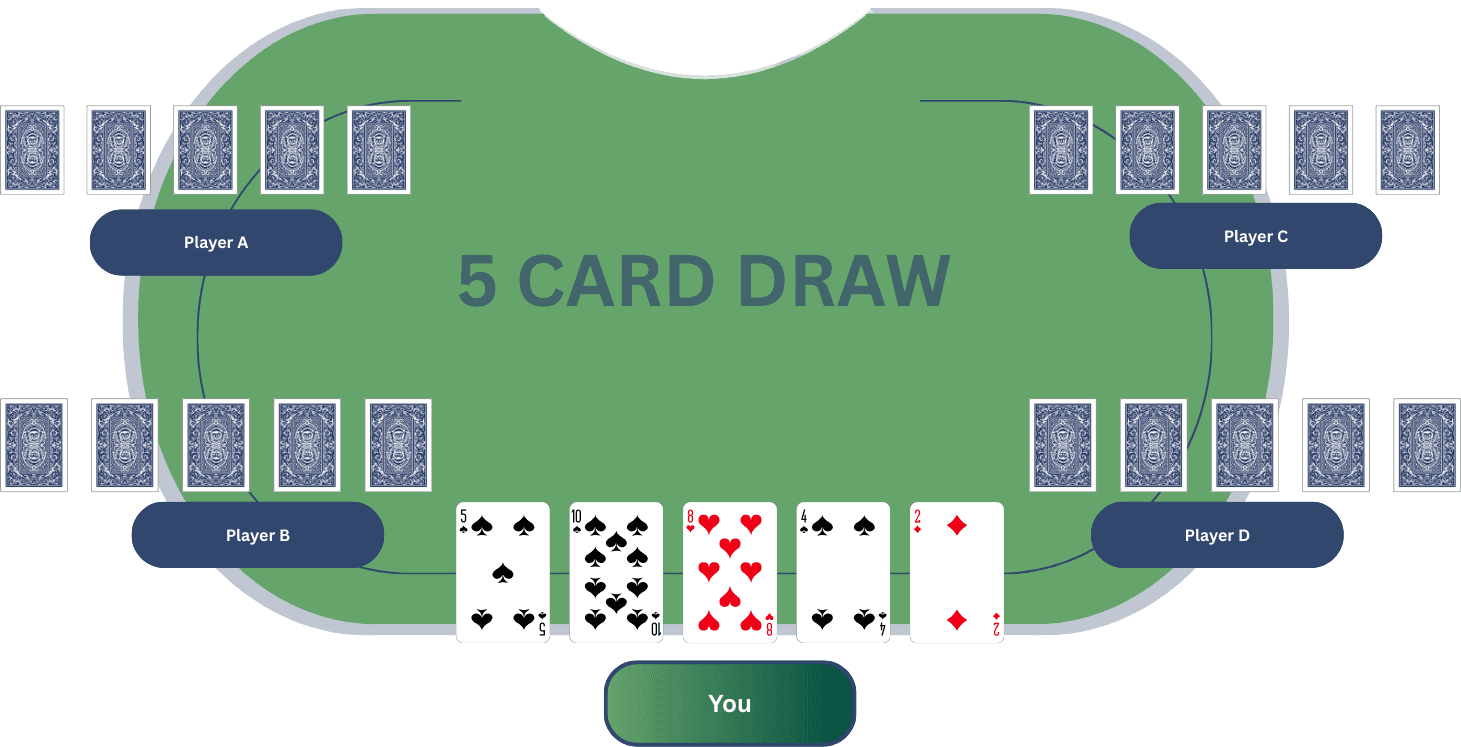
- Initial deal → first betting round
Once each player has five downcards, betting starts (house rules vary on whether it’s antes or blinds, but the layout itself looks the same: players act in turn and their wagers feed into the pot). The pot total is kept visible—typically near the center/top—so you can track what’s at stake while no shared cards exist to “anchor” the action. - Draw phase → discards and replacements
This is the defining UI moment. The layout needs a discard selector: you tap/click individual cards to mark them for discard, and the selection can be toggled (click again to unmark). When it’s your turn, you confirm the exchange with a Draw/Discard/Replace button or phase prompt. Then the platform removes the marked cards and deals the same number of replacements, so you return to a five-card hand. - Final betting → showdown
After the draw, there’s a second betting round, and if more than one player remains, the layout shifts to showdown: opponents’ hands become visible as they table their five cards.
What to watch for on-screen is simple: your five-card hand area, the discard selection state, the Draw/Replace confirmation, and the pot total that ties the hand together.
Quick Tips for Reading Any Poker Layout
- Find the dealer button (BTN) first. It marks the dealer position for the hand and is used to determine action order across streets.
- Check the “shared cards” area. If there’s a center board that builds to five community cards (flop/turn/river), you’re in a community-card game like Hold’em or Omaha.
- If there’s no board, look at each seat’s face-up cards. Stud layouts emphasize upcards because players receive a mix of face-down and face-up cards.
- Confirm the forced bets. Community games commonly use blinds; Stud often uses antes/bring-in; Draw formats vary by room.
- Follow the pot and action prompts. The pot total and highlighted action controls indicate the hand's position in the betting flow.
Choosing the Right Poker Table
Poker stays consistent because every variant follows the same core loop: deal cards → betting rounds → best hand wins (or everyone else folds). What changes is what you can see and how the hand is built—a shared board, player upcards, or a discard/draw step.
- Texas Hold’em: Shared 5-card board; simplest layout to read for most players.
- Omaha: Same board layout, but 4 hole cards and exactly 2 + 3 hand-building rule.
- Seven-Card Stud: No board; upcards drive decisions, with antes/bring-in common.
- Five-Card Draw: No board; the key moment is discarding and drawing replacements.
If you’re new, start with Texas Hold’em—the board-in-the-middle layout is the easiest to follow.


